BC Mortgage Calculator is a mortgage calculator for Android and iOS. It estimates a monthly payment, builds a month-by-month amortization schedule, and shows where the money goes over the life of the loan. All calculations run on your device and work offline. The Android app is free with inline ads and an optional one-time purchase that removes them.
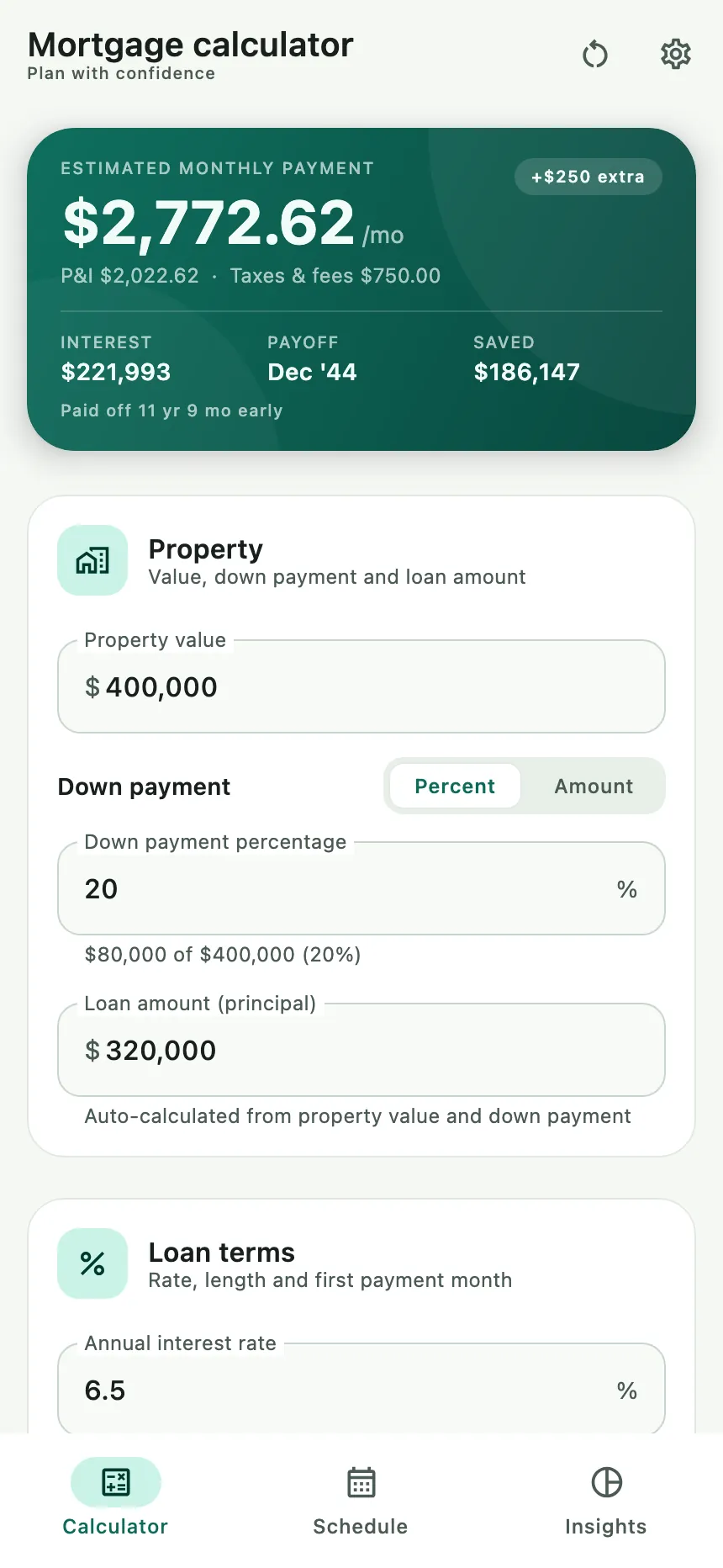 The Calculator tab: the payment summary stays pinned while the loan form scrolls underneath.
What you can do
- Estimate the monthly payment as you change the property value, down payment and interest rate.
- Enter the down payment as a percentage or an exact amount.
- Add property tax, home insurance and HOA dues to see the full monthly cost, including escrow.
- Model monthly, annual or one-time extra principal and see the interest and time it saves.
- Read every payment in a year-by-year amortization schedule.
- See the cost breakdown, the remaining-balance curve and a loan snapshot.
- Pick a light, dark or system theme, any currency, and several amount formats.
- Use everything offline. An internet connection is only needed for ads and the optional purchase that removes them.
The calculator screen
The app opens on Calculator with a sample loan already filled in, so you can see a result immediately. The payment summary is pinned at the top, and the form scrolls underneath it.
The summary shows:
| Metric | What it means |
|---|---|
| Estimated monthly payment | The payment, with /mo after it |
| P&I | Principal and interest |
| Taxes & fees | The monthly escrow from property tax, insurance and HOA dues (when entered) |
| INTEREST | Total interest over the life of the loan |
| PAYOFF | The month and year the loan is paid off |
| TERM | The actual length of the loan |
| SAVED | Replaces TERM when extra payments shorten the loan; the line underneath says how much earlier it is paid off |
If the inputs are incomplete or invalid, the card says Add details and
Complete the loan details below to see your payment. A +<amount> extra badge appears when a
monthly extra payment is active. Without expenses, the card says Principal & interest only.
Default values
| Field | Default |
|---|---|
| Property value | 400,000 |
| Down payment | 20% (the amount mode shows the equivalent amount) |
| Loan amount | 320,000, calculated automatically |
| Annual interest rate | 6.5% |
| Term | 30 years, 0 extra months |
| First payment month | The current month |
| HOA, property tax, insurance | Empty (optional) |
| Extra payments | Empty (optional) |
Property and loan terms
The Property card holds the purchase price and the down payment:
- Property value is the purchase price.
- Down payment can be entered as Percent or Amount. Switching mode converts the current value, and a hint under the field shows the equivalent amount and percentage.
- Loan amount (principal) is calculated automatically as the property value minus the down payment. Editing it switches to a manual override and shows a Relink to down payment button; changing the property value keeps a manual principal fixed.
- The down payment cannot exceed 100% of the property value, and the principal cannot exceed the property value.
The Loan terms card holds the rate and the length:
- Annual interest rate — 0% is allowed.
- Term in years plus Extra months, shown together as
Loan length: <duration>. The maximum is 100 years (1,200 months). - First payment month — month and year pickers; the app confirms with
Payments begin <Month Year>.
Monthly expenses
Open Monthly expenses (collapsed by default and marked Optional) to add the costs that sit alongside the loan payment:
- HOA dues (monthly)
- Property tax (annual) — shows the monthly equivalent underneath
- Home insurance (annual) — shows the monthly equivalent underneath
Monthly escrow totals the three, splitting the annual tax and insurance into 12 monthly amounts. Expenses are added to the monthly payment but never accrue interest, and they stop when the loan is paid off.
Extra payments
Open Extra payments (also optional) to model paying the loan down faster:
- Monthly extra starts with the first payment.
- Annual extra is applied with every 12th payment.
- One-time extra is paired with One-time payment month.
Extra money goes 100% to principal, shortens the loan and reduces total interest. When there are savings, a message states how much interest was saved and whether the loan is paid off early. The schedule stops as soon as the balance reaches zero.
The schedule
Schedule turns the loan into a table. If the inputs are not valid, the tab shows No schedule yet with a Go to calculator button. Otherwise it shows:
- PAYMENTS, TOTAL INTEREST and PAYOFF at the top.
- A Saves <amount> · <duration> sooner line when extra payments shorten the loan.
- A legend: Payment includes principal, interest and escrow., plus an extra principal dot when it applies.
- A table with DATE, PAYMENT, PRINCIPAL, INTEREST and BALANCE columns.
- Sticky year headers with the year, the number of payments and the interest paid that year.
- Highlighted rows for lump-sum or annual extra principal.
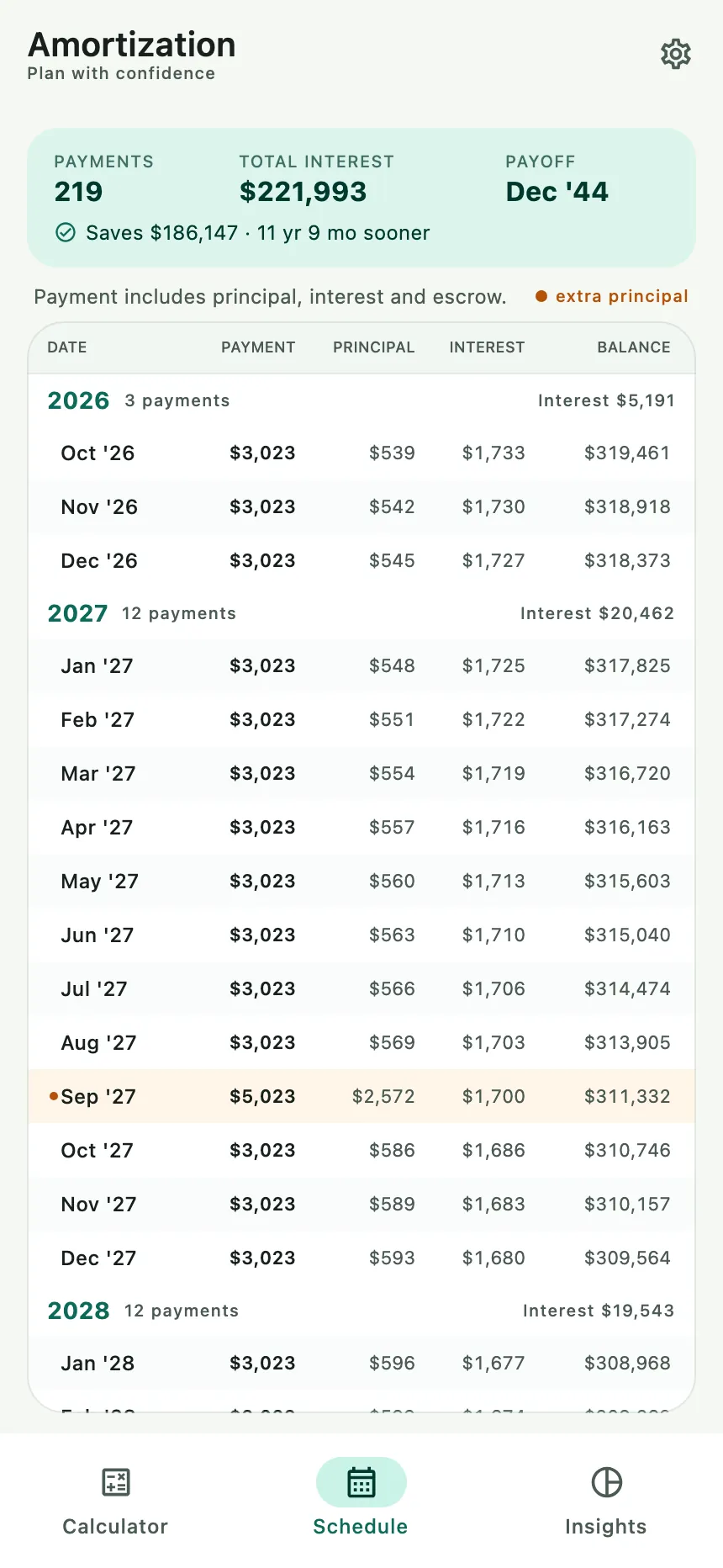 The schedule groups payments by year and highlights extra-principal rows.
Insights
Insights shows the shape of the loan:
- Where the money goes — a donut chart with rows for Principal, Interest, optional Taxes & fees, and Total loan cost. A note explains that the down payment is not included.
- Remaining balance — a line chart of the balance over time, with compact axis labels.
- Loan snapshot — loan amount, down payment, interest rate, term, monthly payment, total interest, optional taxes/insurance/HOA, optional extra principal paid, total cost, payoff date and interest saved when applicable.
Total cost is principal + interest + escrow. The down payment is shown separately and is not part of that total. If the inputs are not valid, the tab says Charts are waiting with a Go to calculator button.
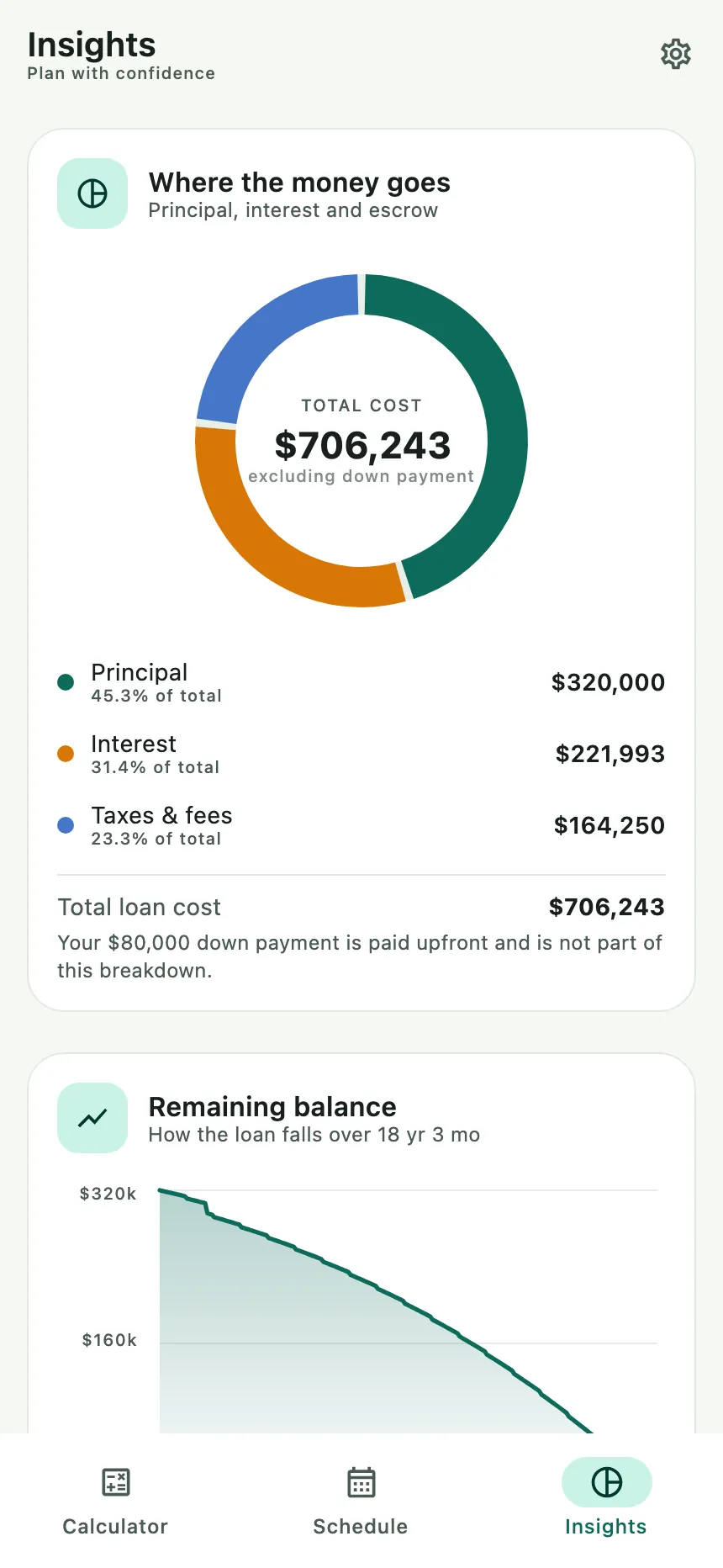 Insights breaks the loan into principal, interest and taxes and fees, then charts the balance.
Settings
Open Settings with the gear icon. Settings are saved on the device and survive restarts.
Theme
Choose System (the default), Light or Dark. Changes apply immediately. System follows the phone’s light or dark setting.
Currency and amount format
Everything defaults to the phone’s region:
- Currency —
Device · <currency name> (<symbol>)by default; choose another currency from the list if you prefer. - Custom symbol — optional, up to four characters. Leave it blank to use the selected currency’s symbol.
- Amount format — Device by default, or a fixed style:
1,234.56,1.234,56,1 234,56or1'234.56. - Symbol position — Device, Before or After the amount.
- A live PREVIEW shows a sample amount and monthly payment.
- Reset to device defaults restores all currency options to the phone’s region.
Changing the currency affects every amount in the app, including input prefixes and chart labels.
Haptic feedback
Choose System (the default), On or Off. System follows the phone’s touch-feedback setting; On always confirms taps with a light vibration; Off never vibrates. On a device without haptics, System behaves like Off.
About and the one-time upgrade
- Version shows the installed app version and build number, for example
1.0.0 (100). - Privacy Policy opens this site’s privacy policy in the device browser.
- Upgrade and support is marked REMOVES ADS on Android. It opens a one-time purchase dialog showing the local Google Play price and a Buy button. A completed purchase changes the row to Premium and removes the ads immediately. Purchases restore automatically on the same Google account; if Play cannot load the product, the dialog offers Try again. The purchase is one-time, not a subscription.
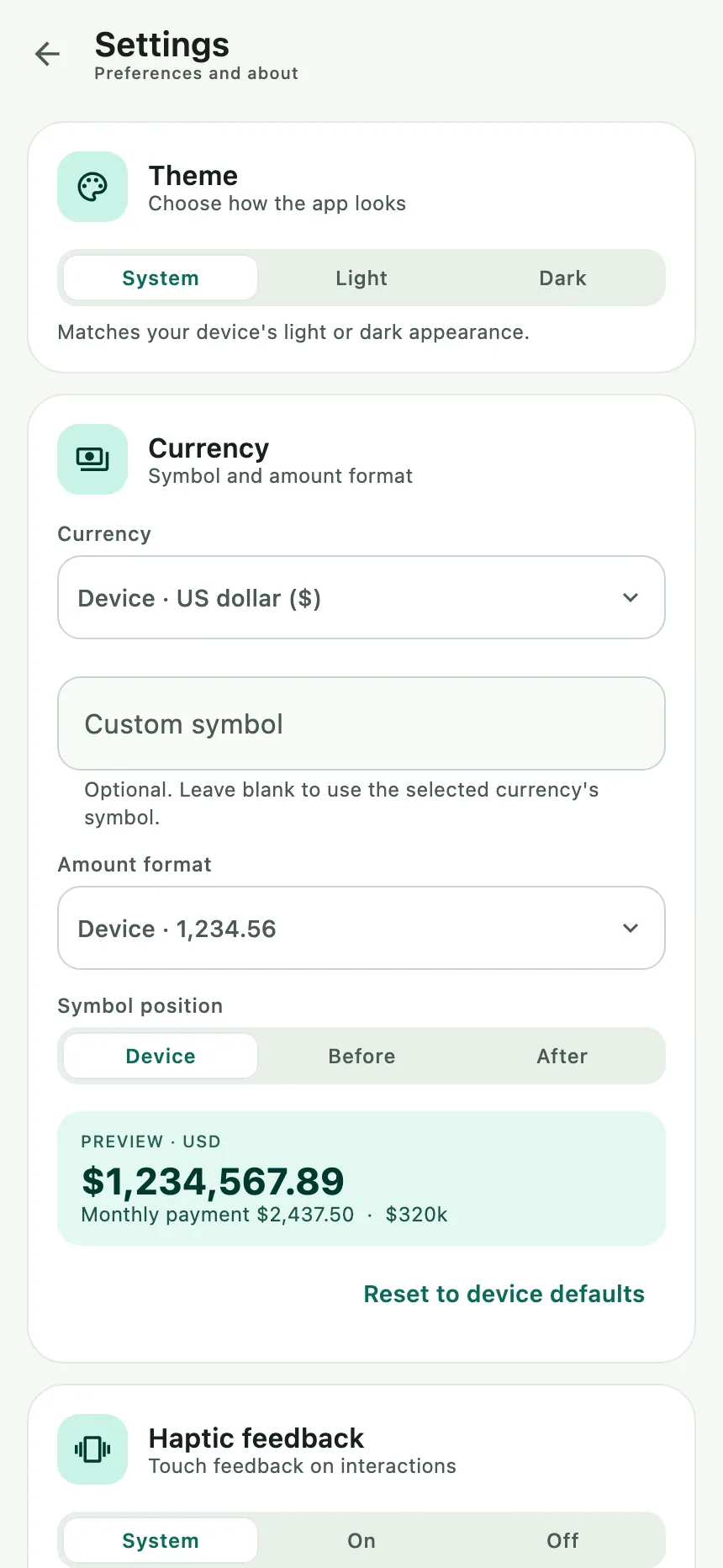 Settings: theme, currency, amount format and haptics, with a live preview.
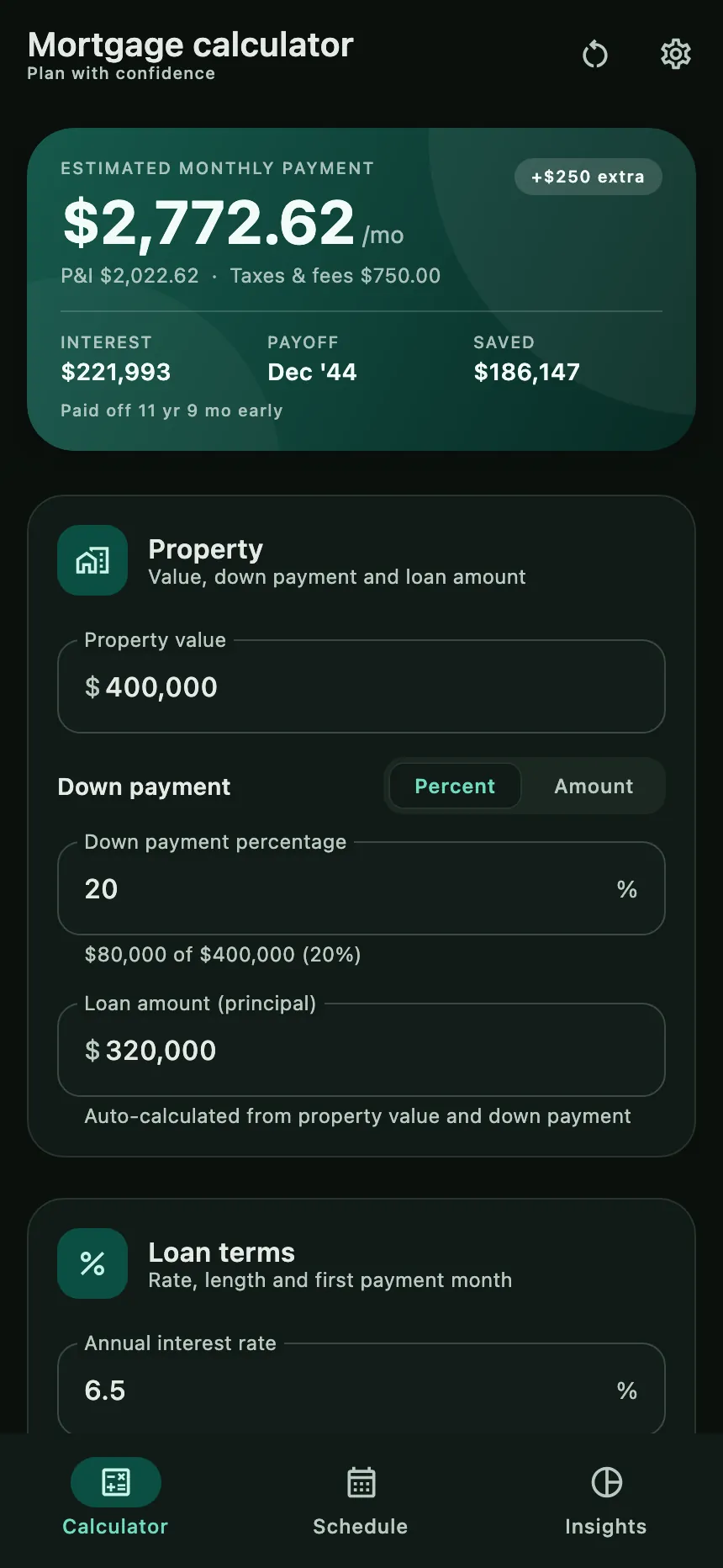 The dark theme uses the same layout and figures.
Common questions
Does it work offline? Yes. The calculator, schedule, charts and settings all run on the device.
Why does it show a different currency than I expected? The default comes from the phone’s region. Open Settings → Currency and choose a currency, symbol and amount format.
Why can I not type a comma decimal? You can. Both . and , are accepted as decimal input; the
field displays the separator chosen in Settings.
Why is the payment different from my lender’s? The estimate excludes PMI, closing costs, lender fees and escrow adjustments. The app also rounds each posted payment to cents, so a lender’s figures can differ slightly. It is not financial advice.
Can I model extra payments? Yes — monthly, annual and one-time extra principal, all optional. The Schedule and the summary show the interest and time saved.
Are my inputs saved? Settings are saved. The calculator inputs reset to their defaults when the app is restarted.
Can I remove ads? Yes, on Android. Open Settings → About → Upgrade and support, then choose Buy. The ads disappear immediately and the row changes to Premium. Reinstalling or using another device signed in to the same Google account restores it automatically.
Known limitations
- No PMI, closing costs, ARM/interest-only loans, bi-weekly payments or refinancing.
- Extra payments are fixed amounts, not percentages or date ranges.
- The interface is English-only; currency and number formatting adapt to the device, but labels do not.
- Calculator inputs are not restored across restarts; display preferences are.
- Ads are Android-only; iOS and the desktop preview show none.
Troubleshooting
| Situation | What to do |
|---|---|
| The payment says Add details | Fill in the property value, down payment and a term; check that the rate is not negative |
| A field is outlined in red | A value is out of range — down payment above 100%, principal above the property value, zero term, or a negative rate |
| Schedule or Insights is empty | Fix the calculator inputs; both tabs need a valid loan |
| Amounts use a different symbol | Settings → Currency; Reset to device defaults returns to the region setting |
| No vibration | Settings → Haptic feedback; the phone may also disable touch feedback system-wide |
| The theme changed unexpectedly | Settings → Theme; System follows the phone, or choose Light / Dark to force it |
| An ad is missing | Ads need a connection and available inventory; the space collapses and the app works normally. After the one-time purchase, a missing ad is expected |
| Upgrade and support says the upgrade is unavailable | Check the connection, that the Play Store account is signed in, and that the app came from Google Play; tap Try again |
| Premium does not appear after buying | Wait a moment, then reopen Upgrade and support; make sure the device uses the Google account that bought it |
| The purchase says payment pending | Premium unlocks automatically when Google Play confirms the payment; there is nothing to tap |