Payment as you type
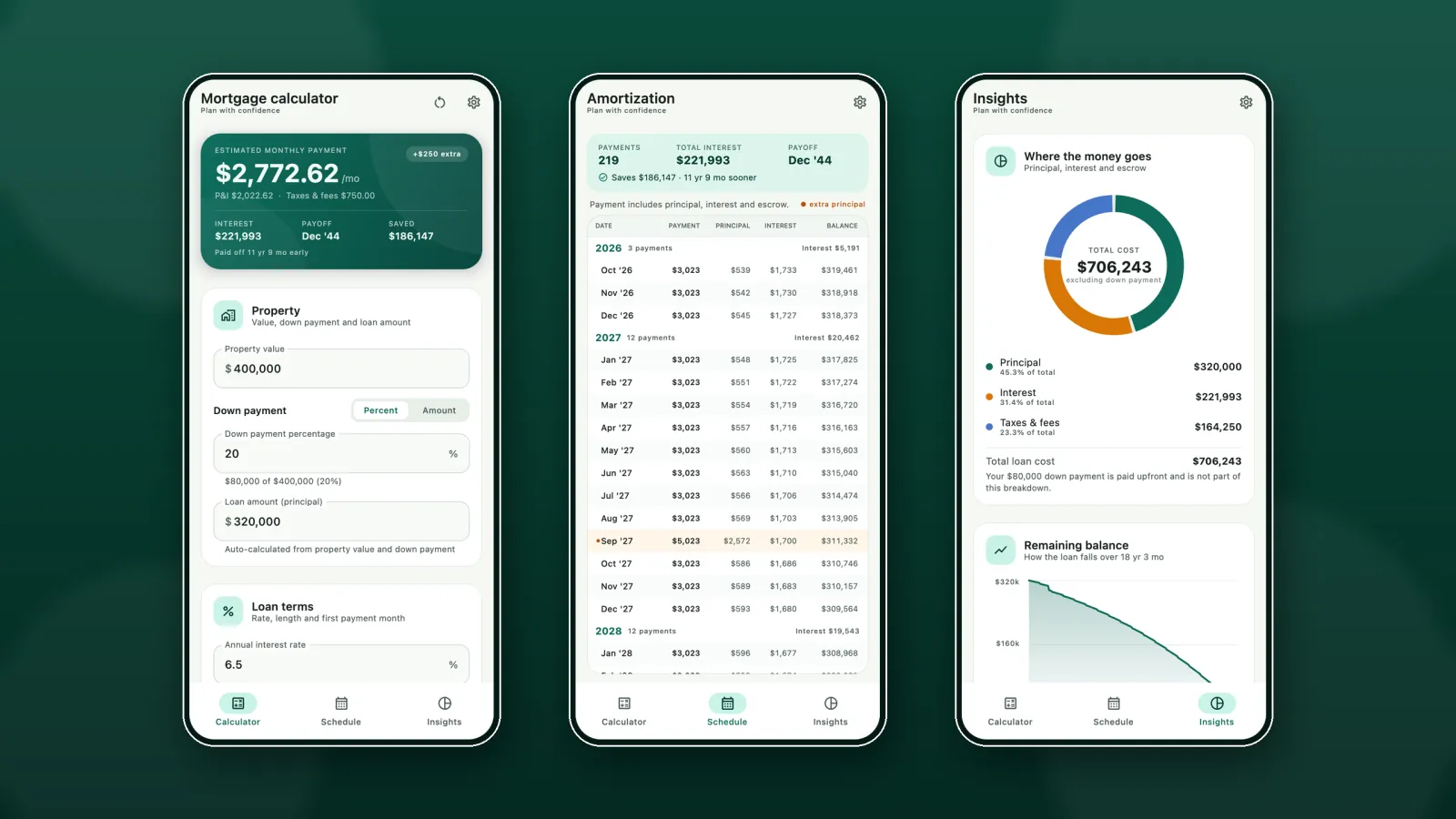
Set the property value, down payment and interest rate — the estimated monthly payment updates with every change.

Payments, amortization, escrow and extra-payment savings — all offline.
“Mortgage” on your home screen · Mabuhay Software
See it in action
Enter the loan, then follow the payment into the schedule and the charts.
What it does
From the first estimate to the last scheduled payment.
Set the property value, down payment and interest rate — the estimated monthly payment updates with every change.
Add property tax, home insurance and HOA dues to see principal, interest and escrow in one figure.
Model monthly, annual or one-time extra principal and see the interest saved, payments removed and the earlier payoff date.
The amortization schedule lists payment, principal, interest and remaining balance, grouped by year, with extra-principal rows highlighted.
A cost breakdown chart, a remaining-balance curve and a loan snapshot show the shape of the whole loan.
Light, dark or system theme, any currency with a custom symbol and several amount formats, and optional haptic feedback.
The fine print
A calculator that stays out of your way.
The calculator, schedule and charts are computed on your device — no connection needed.
No sign-in and no profile. The figures you enter are not saved after the app closes; only your display preferences stay on the device.
Free on Google Play with inline ads on Android. One one-time purchase removes them for good — there is no subscription.
Figures are estimates for planning. They do not include PMI, closing costs or lender fees, and actual payments may differ. BC Mortgage Calculator is a calculator, not financial advice, and does not connect to a lender.
The user guide walks through the calculator, the amortization schedule, the charts and every setting — with screenshots of each screen.
Email support@bluecoinsapp.com and we will help. The app's privacy policy explains what stays on your device.
From the maker of Bluecoins — the personal finance app.