Guide
Google Drive access
Fix Google Drive backup and sync when access was removed or an older permission no longer works — clear Bluecoins in your Google Account and link again.
Bluecoins backs up to a folder in your own Google Drive, and Google has to grant the app permission to manage the files it creates there. If that permission is missing or out of date — you removed Bluecoins in your Google Account, or the access stored by an older version of the app no longer matches what Bluecoins asks for — linking and syncing can keep failing until the old access is cleared.
When to use this page
Try these steps if Google Drive is your backup provider and one of these happens:
- Link Google Drive does not finish — the app can stay on Please wait….
- Backup or sync fails with a Google Drive error, even though the phone is signed in with the correct Google account.
- You removed Bluecoins’ access in your Google Account in the past, or you are not sure the app was ever granted access.
If linking and syncing work normally, you do not need to reset anything.
Reset Google Drive access
-
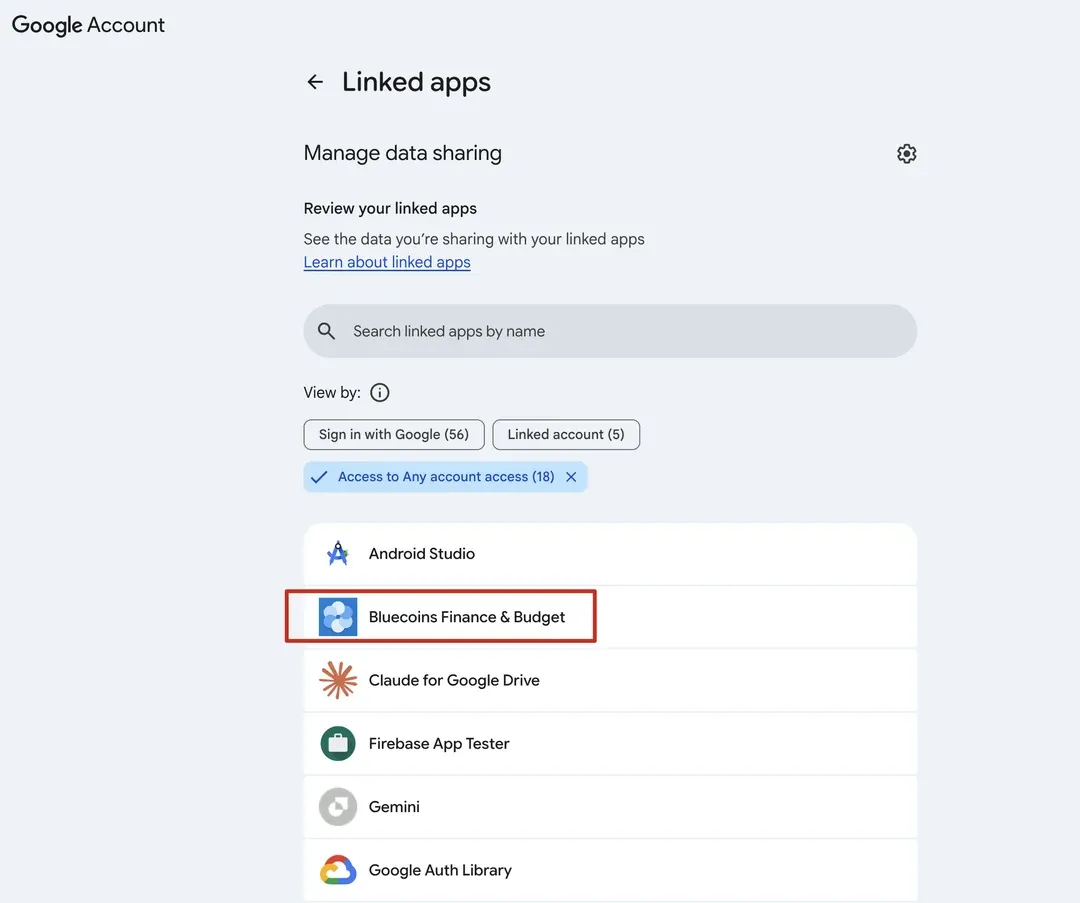
Open myaccount.google.com/permissions in a browser, using the same Google account you use in Bluecoins. The page works on the phone as well as on a computer.
-
Find Bluecoins Finance & Budget on the Linked apps page.
-
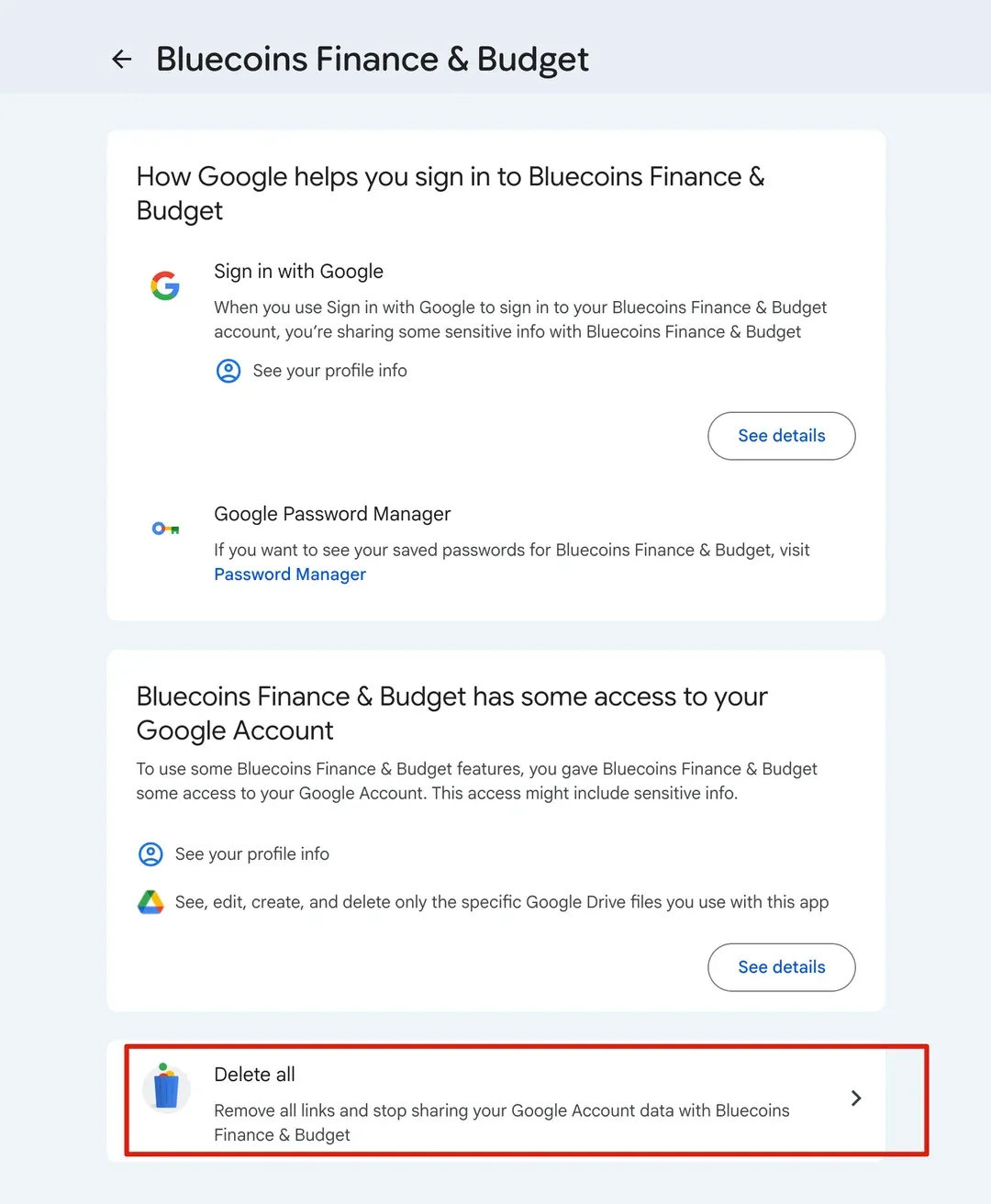
Open it and choose Delete all to remove its access.
-
If Bluecoins is not in the list, there is nothing to remove. Continue with the next step anyway — linking again is still worth doing.
-
Open Bluecoins and go to Settings → Online Sync.
-
Check that Google Drive is the chosen backup provider, then turn on Link Google Drive and approve access when Google asks.
Linking again stores a fresh permission for what Bluecoins needs, and the next backup or sync uses it.
If it still fails
- Update Bluecoins — open Google Play and install any available update.
- Restart the phone, then try linking again.
- If Google itself is having trouble with the account, sign out of it on the phone and sign back in, then link again.
- If linking still does not complete, contact support and include the app version from Settings → About → App Version.
Good to know
- Bluecoins can only see and manage the files it creates in your Drive; it cannot access the rest of your Google Drive.
- These steps apply only to the Google Drive provider. Dropbox and OneDrive are separate and are not affected.
For how backup and restore work in general, see the online sync guide; for the screen itself, see Online Sync settings.